

How Does AI-Powered Map Optimization Work?
What does AI-powered map optimization take on in review replies, posts and profile upkeep, and which decisions should stay with you? We explain, limits included.
By BadePlus

Images are AI-generated.
Staying visible on Google Maps isn't a one-time setting but weekly upkeep: new reviews wait for replies, posts go stale, photos get outdated, and empty fields on your profile are forgotten. AI-powered map optimization means handing the preparation of these recurring tasks to software, tying publishing to rules you set, and measuring the results regularly.
Here we explain which Google Business Profile tasks AI can really take on, which decisions should always stay with you, where Google's rules limit automation, and how to track the results.
What does AI-powered map optimization mean?
Google Business Profile is your business's card on Google Maps and Google Search: your name, address, hours, category, photos, reviews and posts live there. Map optimization means keeping this card complete, accurate and active. You can also think of it as the local side of search engine optimization (SEO).
Google states clearly in its help page on local ranking that local results are based mainly on relevance, distance and prominence. You can't change distance; results take shape around wherever the searcher is. Relevance depends on how complete and descriptive your profile is, and prominence on your reviews and how well known your business is. An AI-powered system helps in exactly these two areas, the ones in your hands.
Many business owners searching for "Google Maps AI" expect a single button to change their ranking. In reality, AI doesn't set rankings. It reads reviews, drafts text, finds gaps in your profile and puts the work on a regular schedule. Google always decides the ranking.
Which tasks can be automated?
Tasks that repeat often and have clear rules suit automation best. The following fall into this group.
Review replies
AI can read a review's star rating, content and language and prepare a reply draft in your business's tone. For short, positive reviews, this draft can be published directly; for negative reviews or detailed complaints, it's better for the draft to reach you for approval first. A good system won't publish a reply on its own if it contains a phone number, link or email address.
Posts
Preparing a weekly post plan, writing the text around your services and the season, and publishing each post at its own time are well suited to automation. For images, your own real photos should come first. If an AI-generated image is used, it shouldn't be presented as a real photo.
Profile gaps
A blank description, attributes customers often mention in reviews but that aren't marked on your profile (for example "outdoor seating" or "good for kids"), and the list of services you offer are things AI can prepare. An important distinction: the system prepares information it knows or has evidence for; it doesn't guess what it can't know. Details such as hours or phone number should be asked of you.
Photos and measurement
Adding the real photos you upload to your gallery to your profile at set intervals, and measuring your visibility on the map on a schedule, are also hard to track by hand and suit automation. You can see how these tasks work together, step by step, on the AI-powered map optimization page.

Which decisions should stay with the business owner?
Alongside the tasks AI speeds up, there are decisions only you can make. Don't leave these to automation:
- Category: Your primary category directly affects which searches Google matches you with. A wrong change can lower your visibility; this decision is yours.
- Your name and address: Your business name on the profile should match what's on your sign. Address, phone and hours are facts only you know.
- Promises to customers: Offering an apology, compensation or a discount in reply to a negative review is a business decision. A reply draft can invite the customer to contact you, but the promise is yours to make.
- Promotion and price information: Prices, dates and terms announced in posts should be published with your approval.
- Scope of automation: You decide which tasks run on their own and which come to you for approval. Nothing should be published automatically without your explicit permission.

Google's rules and the limits of automation
What can be written on a Google Business Profile, and how, is defined in the guidelines for representing your business on Google. Automation doesn't bend these rules. On the contrary, because it can repeat a rule-breaking step very quickly and across many profiles, it needs more careful setup. Look for these limits in a solid system:
- Changes are spread over time. Google may review edits before publishing them on your profile. Sending edits at intervals is safer than changing many details at once.
- Extra care in closely monitored industries. In fields Google reviews more strictly, such as locksmiths, towing and moving, profile changes should first go to the business owner for approval.
- Every change is logged. When and why each piece of information was written to Google should be recorded, and you should be notified.
- Changes made by Google are left to you. Google sometimes updates information on your profile based on its own sources. You should be told, and whether to revert it should be your decision.
- There are no shortcuts with reviews. Having fake reviews written, paying for reviews or offering a discount to get reviews goes against Google's rules. No automation should facilitate these.
How do you track the results?
Once automation is on, answer "is it working?" with measurement, not guesswork. Before you start, record where things stand today; the free map analysis helps you see your current visibility without signing up. Then track these indicators regularly:
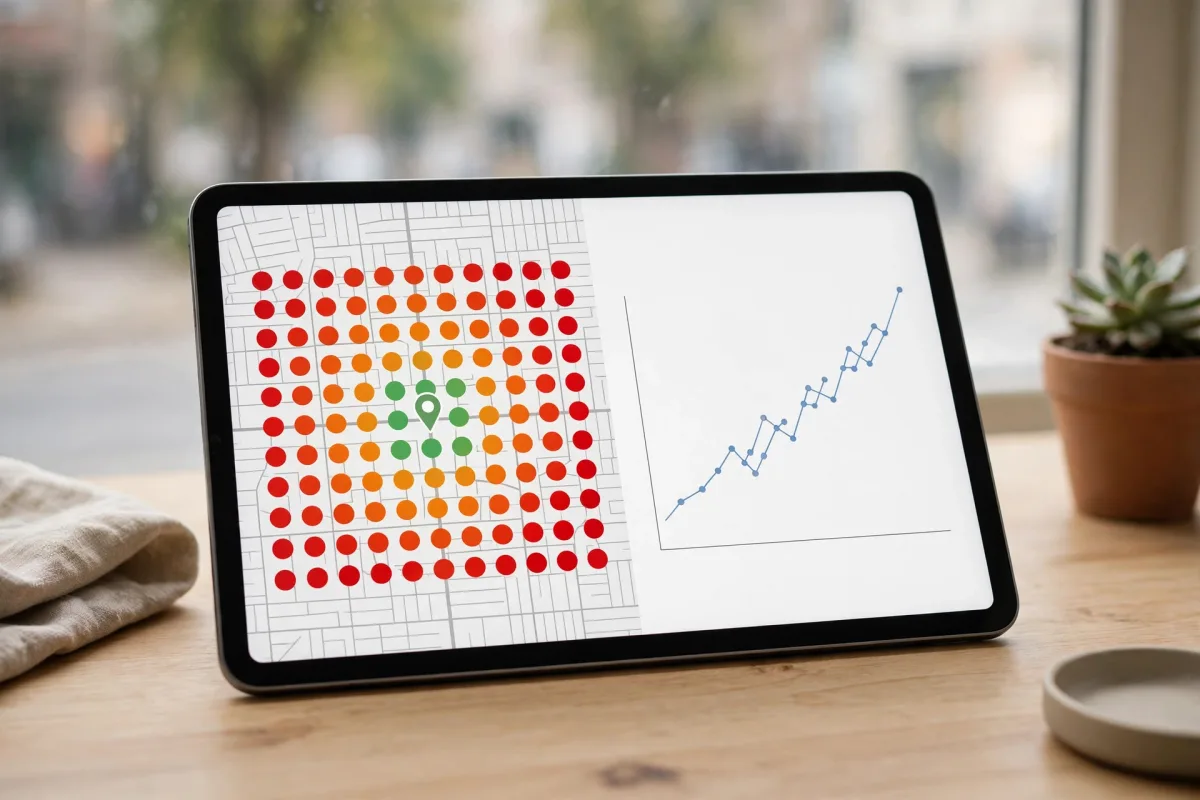
- Visibility on the map: Where you appear for the keywords you chose, in searches from different points around your business. Checking from a single phone is misleading; multi-point measurement gives a more realistic picture.
- Review routine: How quickly new reviews are answered and whether any are left unanswered.
- Profile completeness: Whether any fields are empty in the description, services, attributes, hours and photos.
- Interactions on Google: Searches, direction requests, calls and website clicks shown in your profile's performance section.
Frequently asked questions
Do AI-written replies look the same for everyone?
They shouldn't. A good draft refers to what the review says and varies with the star rating, the review's language and your business's tone. That's why being able to define your own instructions and phrases to avoid matters.
Once automation is on, is everything published automatically?
No, it works the way you choose. You can run each task automatically or with approval. A reply or post that doesn't pass the checks should come to you for approval, even in automatic mode.
Will AI improve my ranking?
AI doesn't set rankings; Google decides them, and no definite outcome can be stated. AI's contribution is making regular, complete profile upkeep easier.
Summary
- AI-powered map optimization means preparing recurring tasks such as review replies, posts, profile gaps and measurement, and publishing them by rules.
- Decisions such as your category, name, address, hours and promises to customers should stay with you.
- Automation doesn't bend Google's rules: changes should be spread over time, and each one logged and reported to you.
- Track results through multi-point measurement, your review routine and profile completeness, as a trend over several weeks.